Controlling Podcasts, Books and Music via Hotkey in macOS Catalina
I’ve recently updated my computer to Catalina and remembered why I did not do it last year. Due to the split of iTunes into separate apps, the whole Podcasting and Audiobook playback has changed. And now, the media buttons are not working anymore as I would expect them to. As icing on the cake, I also found out that the Podcasts and Books apps are not AppleScriptable, so there is no straight forward fix.

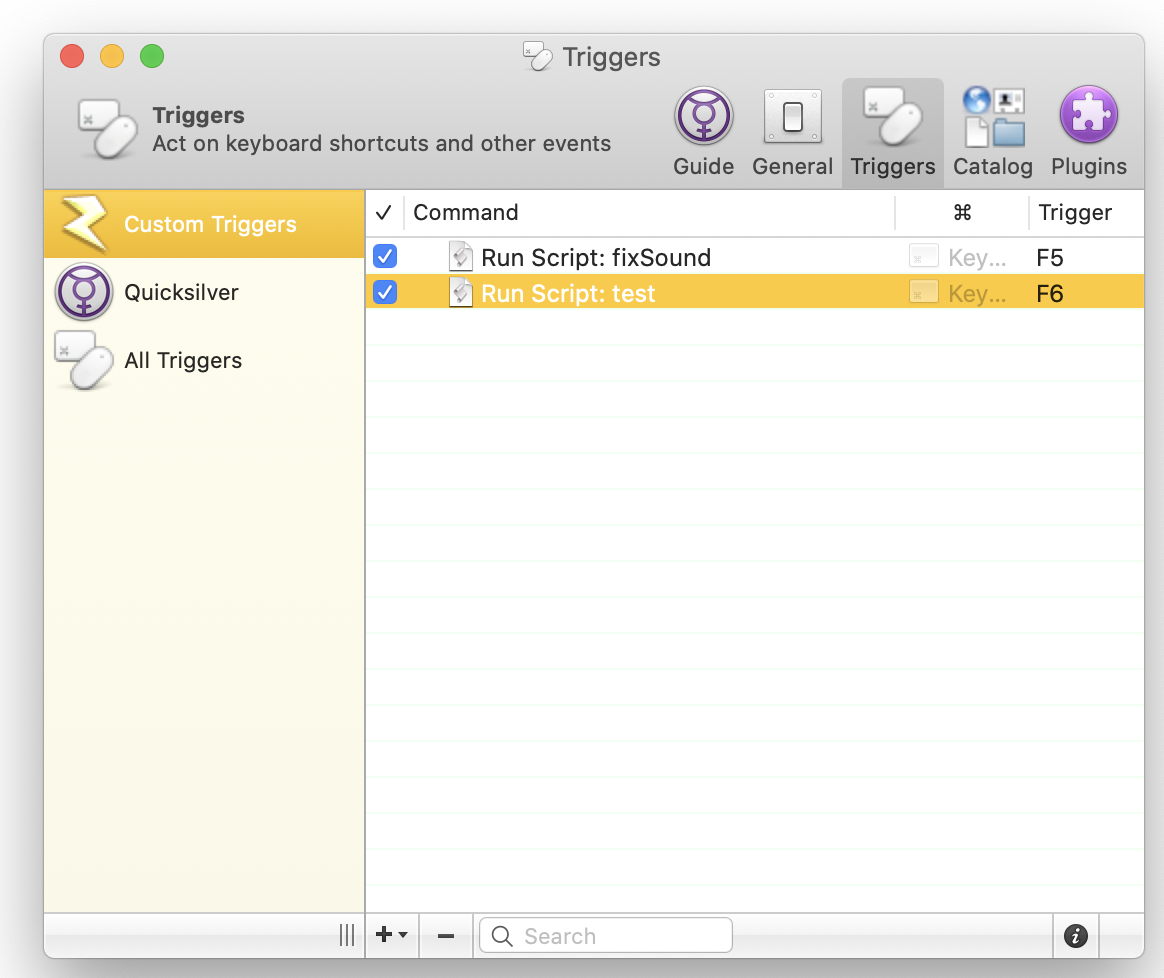
What I want is that I can press the “Media-Key” on the keyboard and that it toggles the playback of the currently playing app. I did not find a simple solution to intercept the media key from the keyboard so far. But at least I was able to copy and paste an AppleScript that toggles the currently active app and could assign this script to the F6 function key. I can live with this for the moment.
To decide which app is currently playing, I check which of the media apps is running. So the AppleScript first checks which app is now running and then always controls this app. I used user interface scripting to control the non-apple scriptable apps. It worked fine for the Podcasts app, but it did not work with the Books app, so there the app needs to be made active, and then I send a keyboard shortcut instead of toggling the menu directly.
on is_running(appName) tell application “System Events” to (name of processes) contains appName end is_running
on menu_click(mList) local appName, topMenu, r
-- Validate our input
if mList's length < 3 then error "Menu list is not long enough"

-- Set these variables for clarity and brevity later on
set {appName, topMenu} to (items 1 through 2 of mList)
set r to (items 3 through (mList's length) of mList)

-- This overly-long line calls the menu_recurse function with
-- two arguments: r, and a reference to the top-level menu
tell application "System Events" to my menu_click_recurse(r, ((process appName)'s ¬
	(menu bar 1)'s (menu bar item topMenu)'s (menu topMenu)))
end menu_click
on menu_click_recurse(mList, parentObject) local f, r
-- `f` = first item, `r` = rest of items
set f to item 1 of mList
if mList's length > 1 then set r to (items 2 through (mList's length) of mList)

-- either actually click the menu item, or recurse again
tell application "System Events"
	if mList's length is 1 then
		click parentObject's menu item f
	else
		my menu_click_recurse(r, (parentObject's (menu item f)'s (menu f)))
	end if
end tell
end menu_click_recurse
<br>
I've used the helper method "menu_click" I found in this hints article: [A better way to activate menu items from AppleScript](http://hints.macworld.com/article.php?story=20060921045743404)
To run the script from a hot-key, I use [Quicksilver](https://qsapp.com) already for App Quickstart. And I knew it also has a hot-key functionality. So it was natural to use this app here as well.
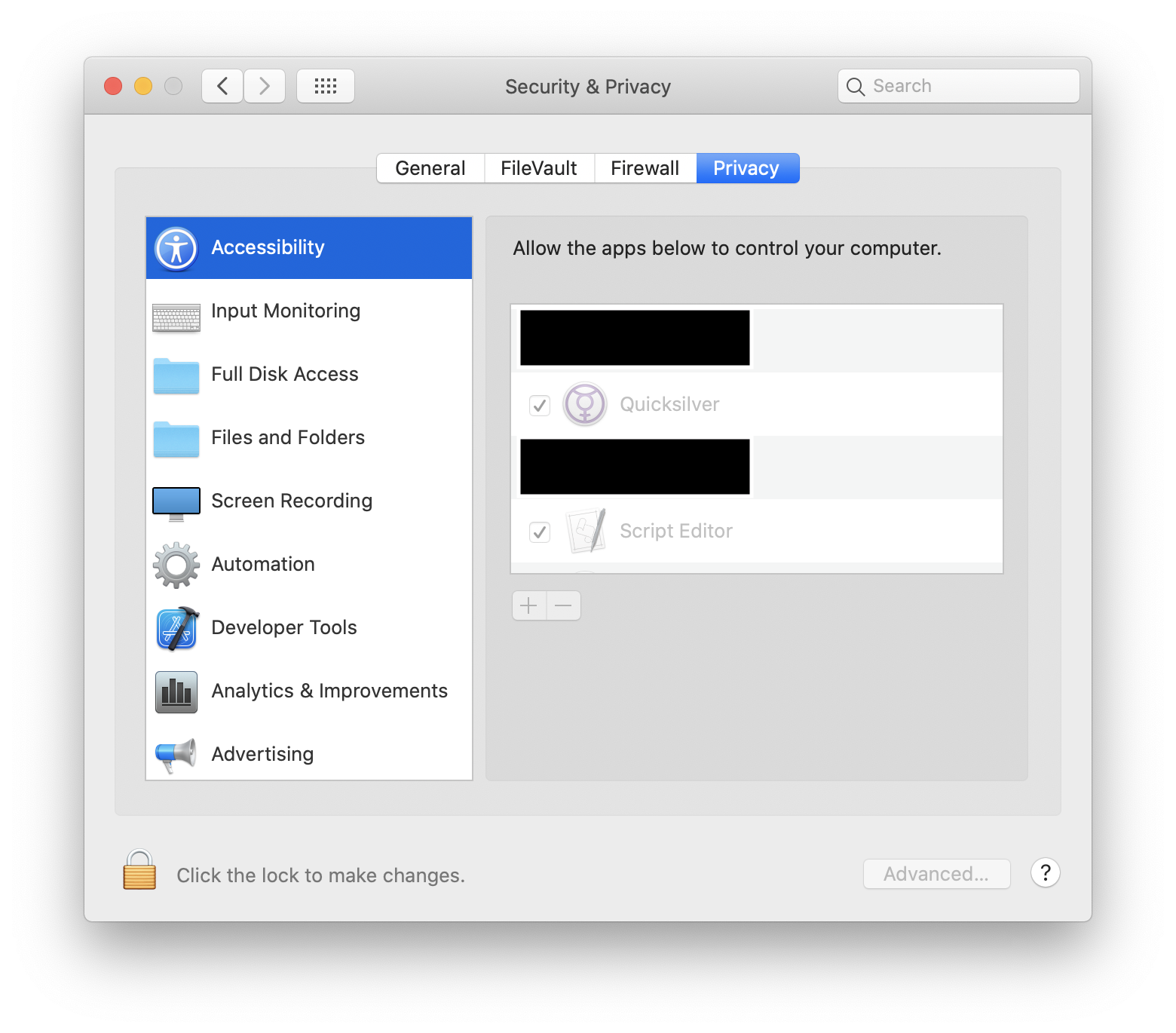
You also will need to give the right permissions so that the automation is working. As Quicksilver is executing my script, I've required to allow it to control my computer. While testing, I've also needed to give this right to the Script Editor as well.
Comments
How to respond
Write your comment on your on page and link it to this page with the following link:
https://vmac.ch/posts/2020-09-20-controlling-podcasts-books-and-music-via-hotkey-in-macos-catalina/
Then insert the permalink to your post into the form below and submit it.
Alternatively you can reach me by email to: comment@vmac.ch