Automatic writing prompts in your inbox
I’ve noticed that the Microblog November helped me with writing. Just having a justification for writing something everyday put me into a better place – for writing.
So I’ve set up my random word system, so I get an automatic writing prompt every day by Email. It is relatively simple: I found inspiration for the Email sending and scheduling in the following article Automate your day: send WFH emails using Mac’s Calendar app. And extended the script also to query a random word API.
Send Email with random words
I found a homepage with an API for random words where I request four words each time the Apple Script is run. The return value is a JSON array, which the script converts into plain text.
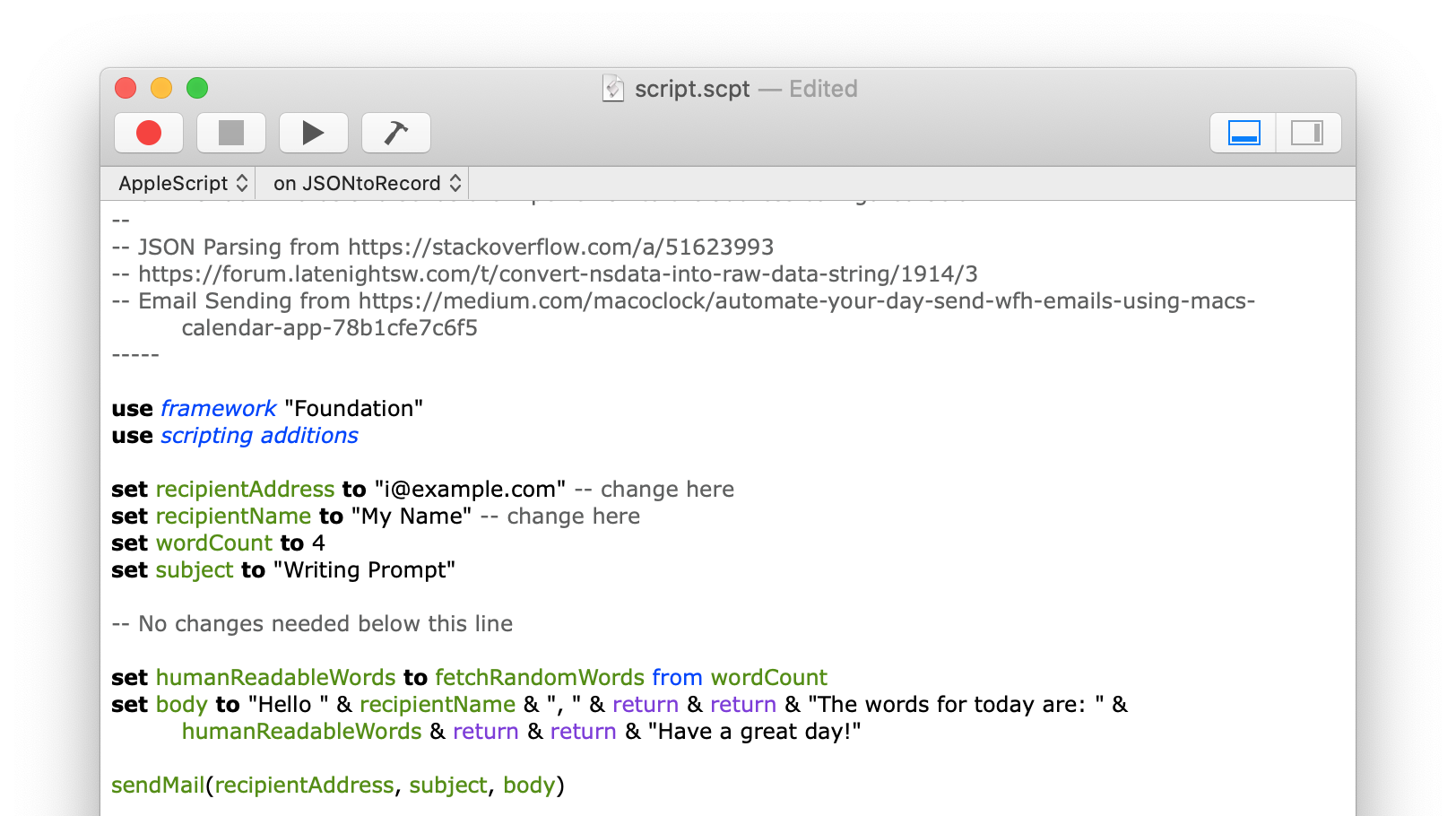
The Script contains four functions containing the logic for the task. The only changes needed are that you enter the correct email address for yourself and add your name. By changing the value of the two variables called “recipientAddress” and “recipientName”.
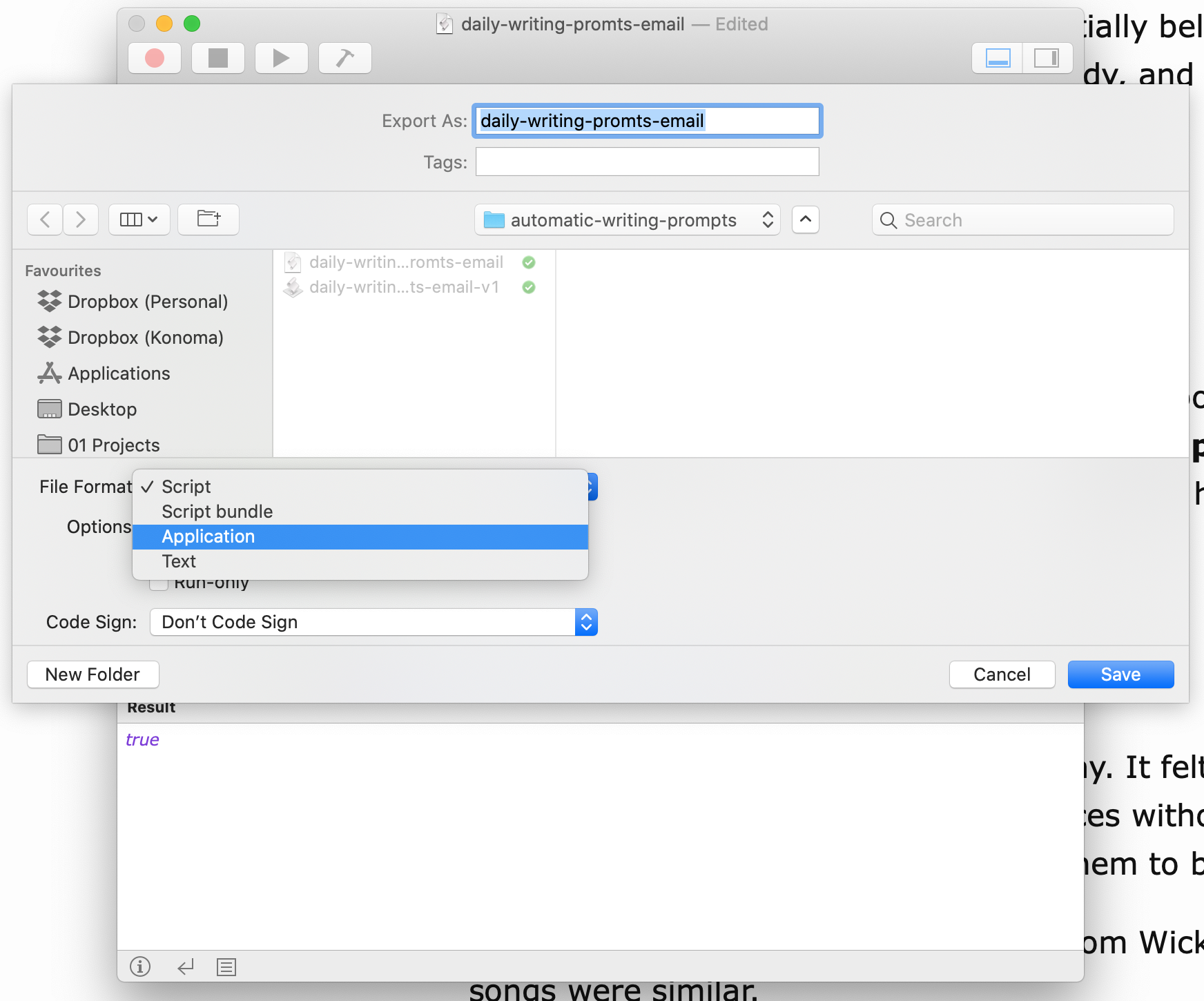
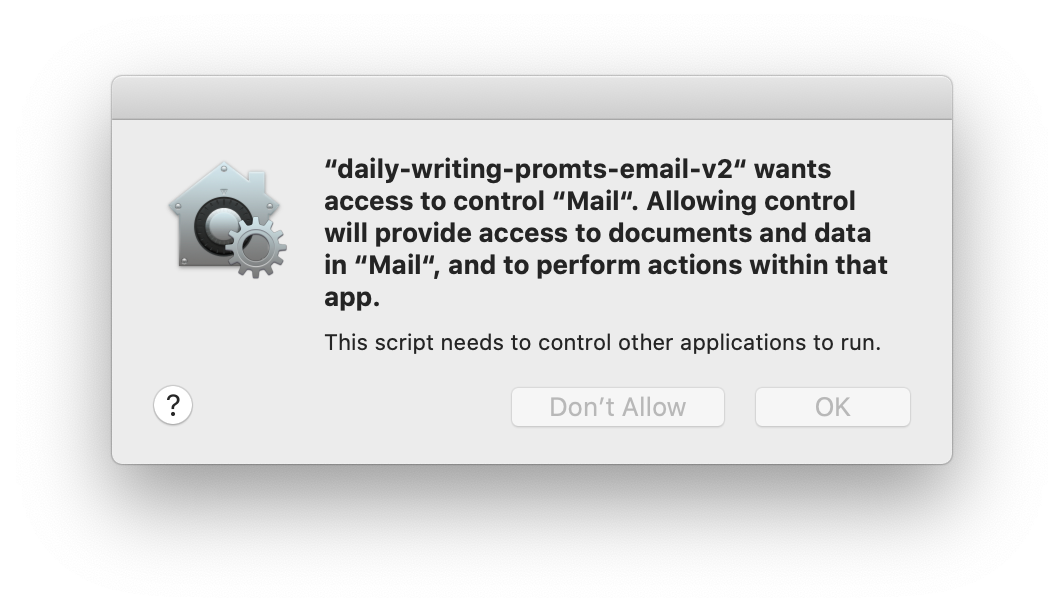
You need to save the script as a standalone application by exporting (File -> Export) it and choosing “Application” in the file type dropdown. You need to start the created application at least once and confirm the dialog that it’s ok to run this.
Scheduling the Email
Next, you add a repeating event to your calendar. I’ve chosen to send the Email in the morning, so the mail is waiting in my inbox when I sit at the computer in the morning. I’ve created a new calendar for this automation task not to fill my regular calendar. But this step is not necessary.
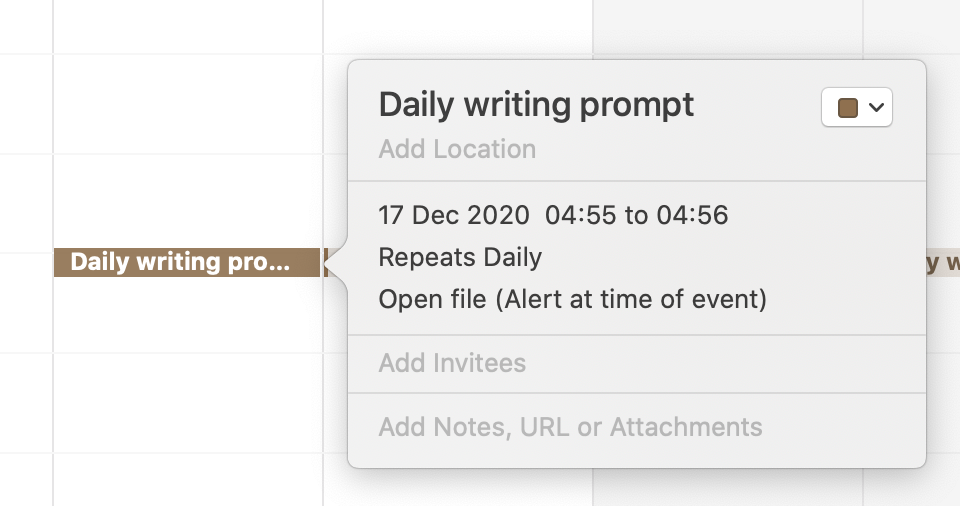
Choose the custom option in the alert dropdown and then select the “Open file” option and select your exported apple script application from the previous step.
Comments
How to respond
Write your comment on your on page and link it to this page with the following link:
https://vmac.ch/posts/2020-12-16-automatic-writing-prompts-in-your-inbox/
Then insert the permalink to your post into the form below and submit it.
Alternatively you can reach me by email to: comment@vmac.ch