Copy Link to Currently selected Message in Mail
Why we cannot have this feature built into the Apple Mail application, I don’t understand. But here is a simple AppleScript to copy the link to the currently selected email message into your clipboard:
tell application "Mail"
	set _msg to item 1 of (get selection)
	set _messageURL to "message://%3c" & _msg's message id & "%3e"
	set _msgSubject to subject of _msg
	set _from to sender of _msg
	set _name to extract name from _from
	set _md to ("[" & _msgSubject & "](" & _messageURL & ")" & " from " & _name as string)
	set the clipboard to _md
end tell
I’ve copied the script from Generating Markdown Links to Mail Messages with Shortcuts and AppleScript, which does only have a picture of it.
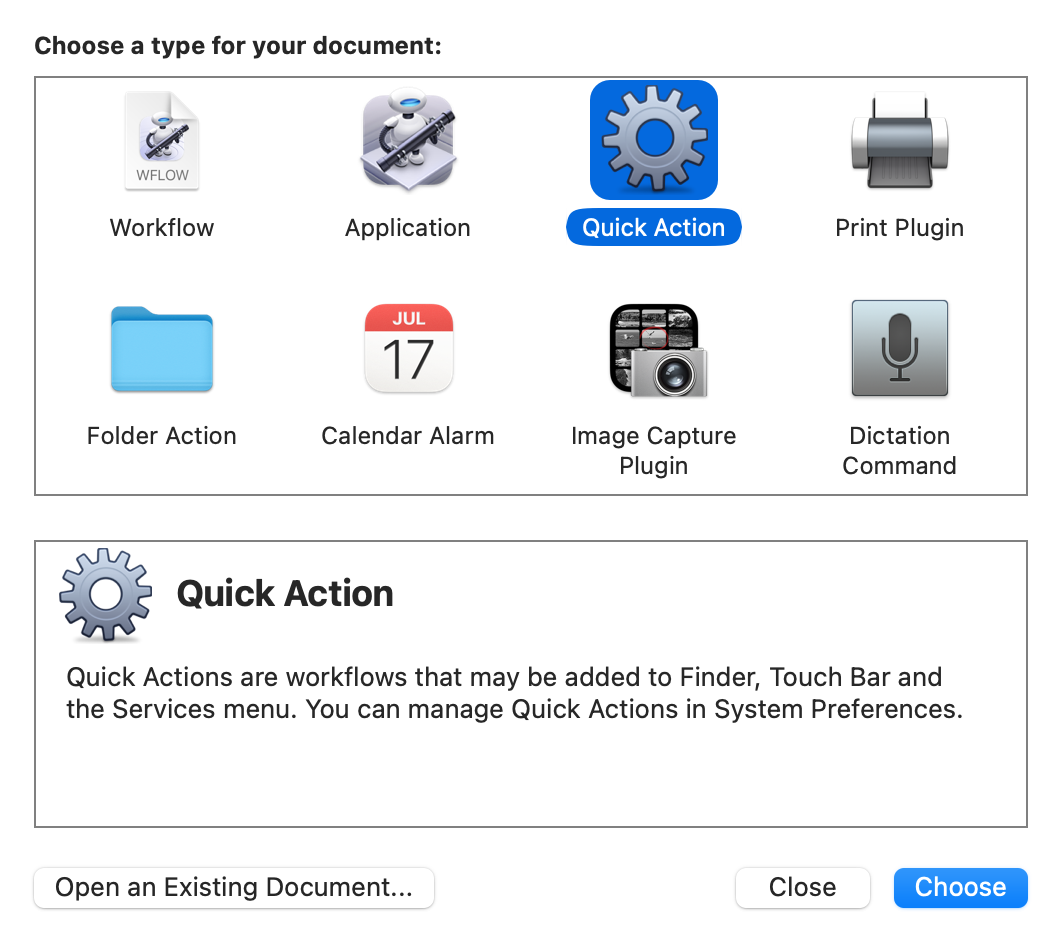
To integrate it into the system (with a shortcut), I’ve used Automator and created a “Quick Action” as I’m still on macOS Big Sur and cannot use the Shortcut app.
Copy the script into a “Run AppleScript” action like shown in the screenshot:
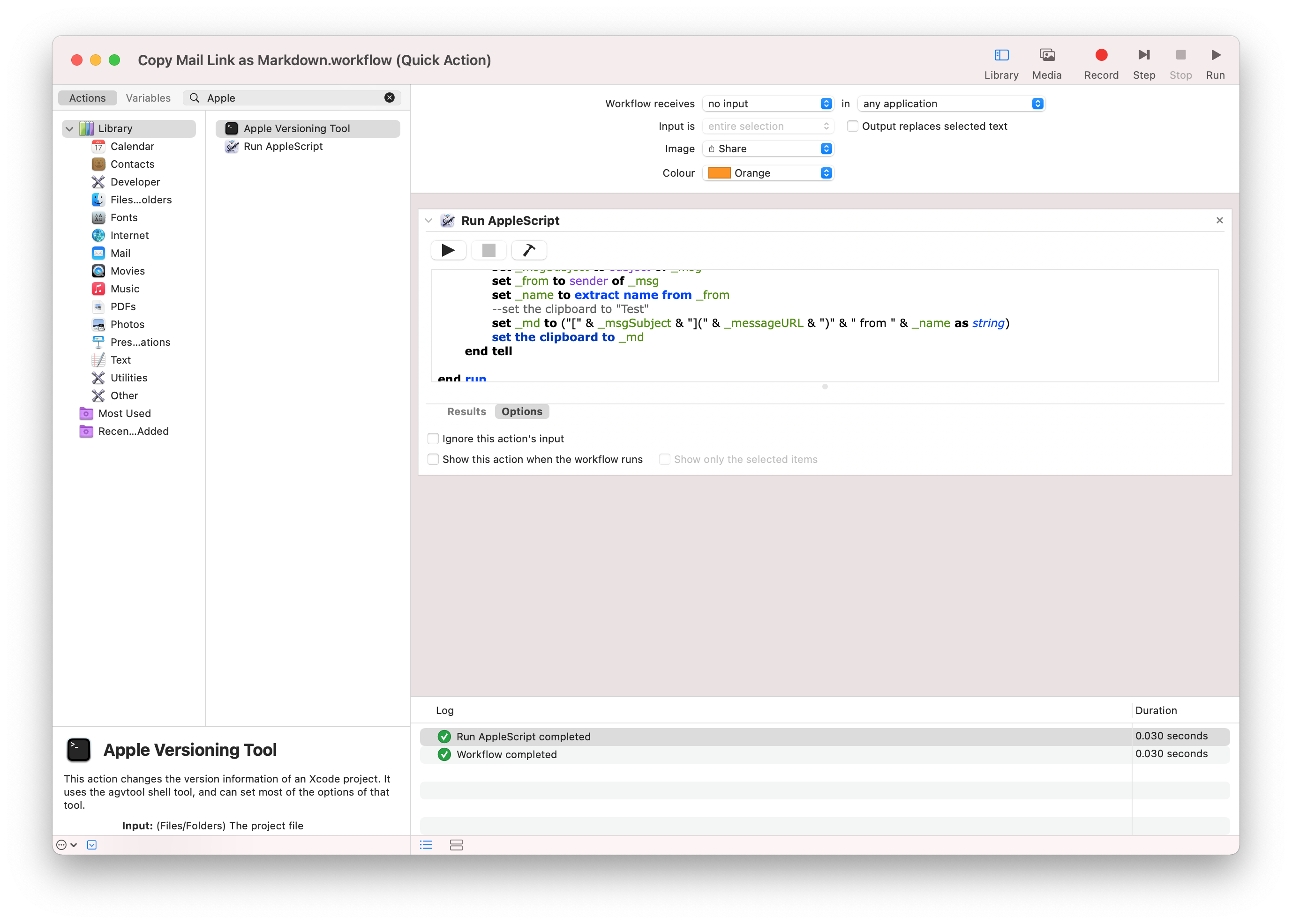
And then save the file. It is essential to leave the dropdown for the Application selection at “any application.” The last step is to set up the shortcut in the “System Settings” under “Keyboard” -> “Shortcuts.” Navigate to the “Services” entry, and you will find your QuickAction under the heading General and the name you have chosen for it. There you can set a keyboard shortcut for it. I’ve used ctrl-alt-command C as my shortcut.

Comments
How to respond
Write your comment on your on page and link it to this page with the following link:
https://vmac.ch/posts/2023-02-12-copy-link-to-currently-selected-message-in-mail/
Then insert the permalink to your post into the form below and submit it.
Alternatively you can reach me by email to: comment@vmac.ch