Copy the base name of a file in Obsidian
Obsidian has a command to copy the relative path of a note (Copy file path) in the command palette. But I was in search of a way to only copy the base name, the file name without the extension.

After some search I’ve now found the Taitava/obsidian-shellcommands GitHub repository plugin, which allows you to execute custom shell commands from the command palette. With this plugin I’ve setup a new command which only copies the base name:
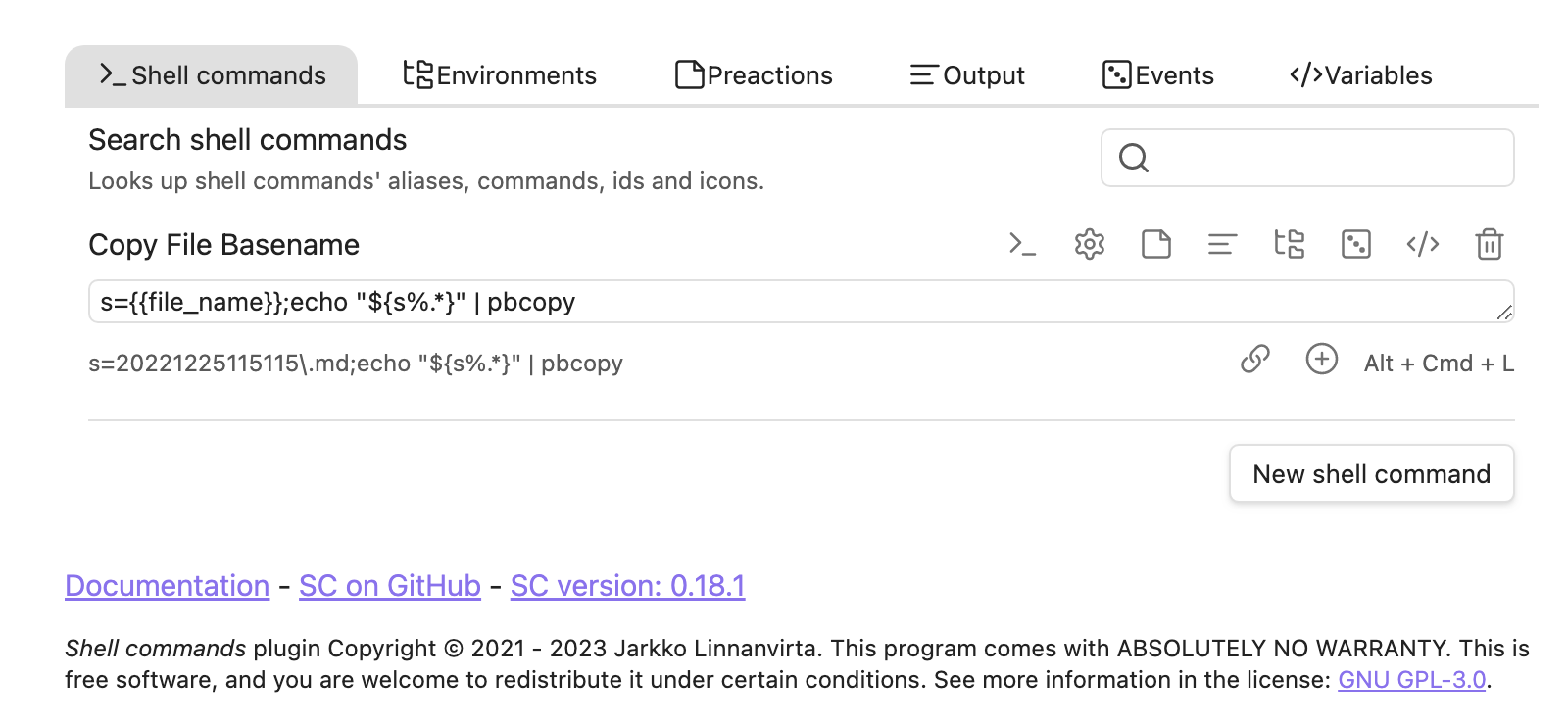
s={{file_name}};echo "${s%.*}" | pbcopy
The {{file_name}} part is a variable from the plugin which contains the name of the currently active file. I then use bash string manipulations to remove the file ending. Inspired by this answer: Extract file basename without path and extension in bash. The last step is to pipe the result of the command into pbcopy which is a macOS shell tool to add content to the clipboard.
To give your new shell command a nice name, select the cog icon, which opens an edit dialog where you can define an alias.

And then define a hot key for the new command via the regular Obsidian method (Settings -> Hotkeys). I’m using cmd-shift-L for it (the same as in Zettlr for the “Copy ID” command).

Comments
How to respond
Write your comment on your on page and link it to this page with the following link:
https://vmac.ch/posts/2023-02-12-copy-the-base-name-of-a-file-in-obsidian/
Then insert the permalink to your post into the form below and submit it.
Alternatively you can reach me by email to: comment@vmac.ch