A dynamic list of persons with Espanso
I have a simple CRM tool inside of my digital brain. And when writing notes and mentioning persons I know, I want to link to them instead of writing these links by hand each time. I’ve made simple automation for Espanso.
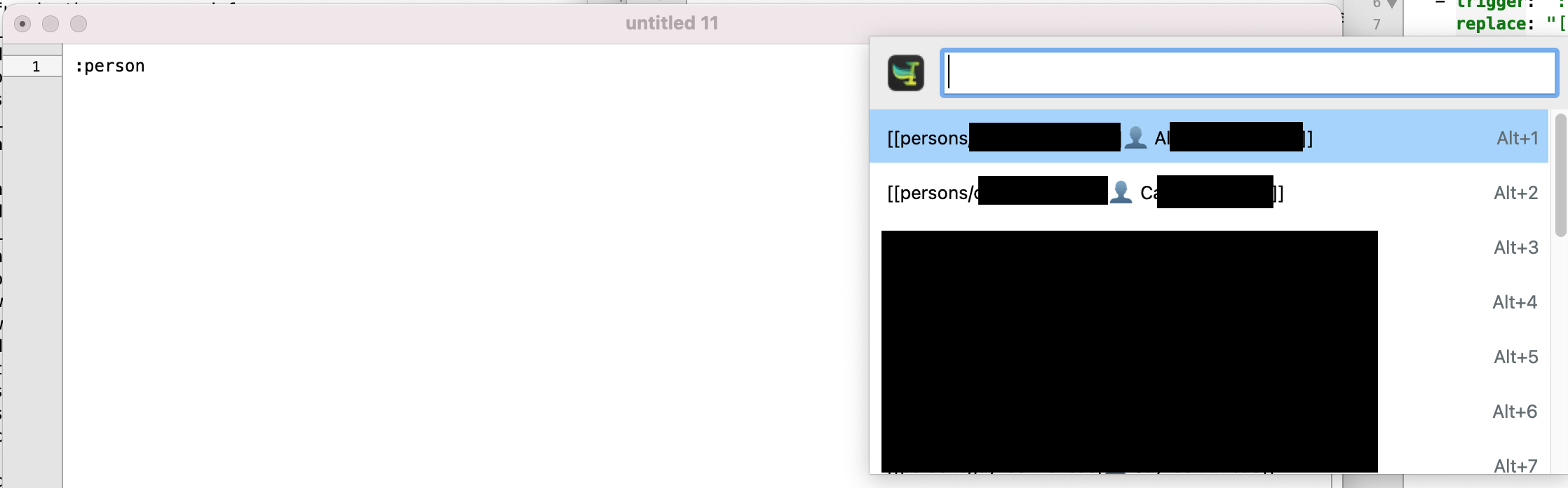
When I type the correct trigger, it will show a list of all persons found in the person’s subfolder from within my notes folder. It will also detract the first line containing the full name and an optional nickname to format the entry correctly.
The first line in my CRM files looks like this:
# 👤 Firstname Lastname (Nickname)
If the nickname is present, it will use it as the name of the display name in the link. Otherwise, it falls back to the first line as a whole (removing the start of it, the has, and the head emoji).
Should the file be empty, it will fall back to the filename without the file extension.
The code for the espanso setup is as follows:
  - trigger: ":person"
    word: true
    replace: "{{output}}"
    vars:
      - name: personList
        type: shell
        params:
          cmd: "cd \"/<PATH_TO_BRAIN>/Brain/persons\" && for file in *.md; do filename=\"${file%.*}\"; rawTitle=$(head -1 \"$file\"); title=${rawTitle//# 👤 /}; nickname=$(echo $title | cut -d \"(\" -f2 | cut -d \")\" -f1); name=${nickname:-$title}; displayName=${nickname:-$filename}; echo \"[[persons/${filename}|👤 ${displayName}]]\"; done"
      - name: output
        type: choice
        params:
          values: "{{personList}}"
It would have been nice to display a short text inside the choice dialog. But unfortunately, Espanso does not support this option for a dynamic list of items. It would work when I hardcode the list (using the “id” key).
Comments
How to respond
Write your comment on your on page and link it to this page with the following link:
https://vmac.ch/posts/2023-05-14-person-list-with-espanso/
Then insert the permalink to your post into the form below and submit it.
Alternatively you can reach me by email to: comment@vmac.ch