How I use my computer: System Chaos
I don’t have much of a system. My general usage pattern is never quitting apps and seldom closing windows. I navigate via CMD-Tab to the applications I need to go to. Most apps that are not actively used will be hidden (CMD-H). What little of a system I have, I can summarise it in one word: chaos.
This post was inspired by Using Spaces on macOS and the ATP bonus episode called: ATP Insider: John’s Windows (link is paywalled).
So what is the method to my chaos? How do I use my computers and organize my apps and windows?
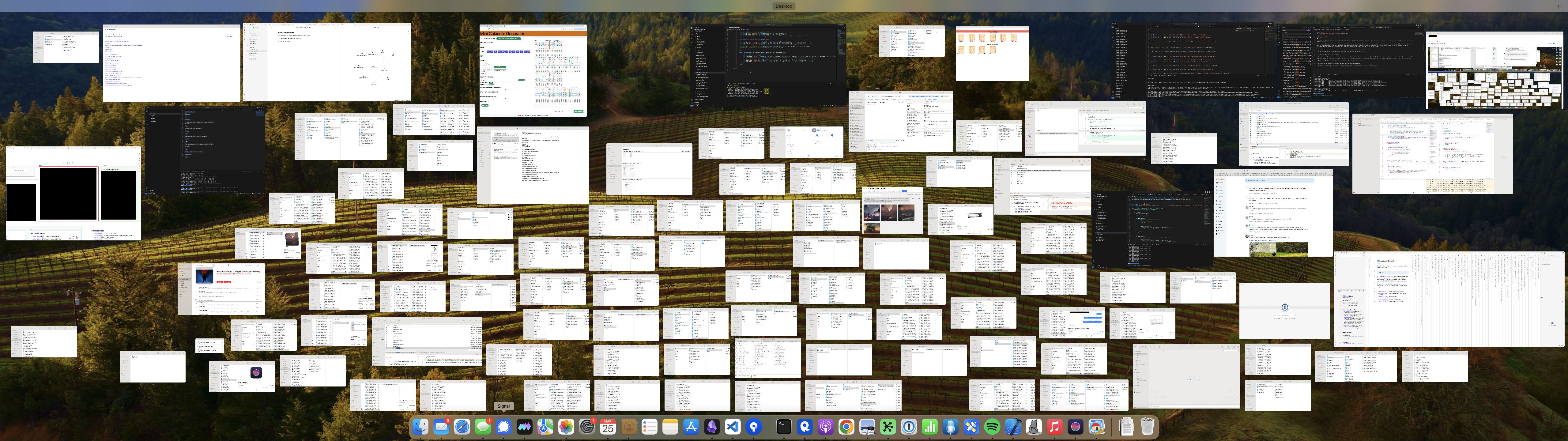
Most of my windows on my computer in Expose mode.
My main issue is with Finder windows. As I never find the one I need, I create new ones. Over time, I have five or ten windows for the same folder open, usually the Desktop folder. But I also use some others a lot on my work computer; for example, I have a daily folder.
When I arrange windows, it is mainly that the main application window is in the center of my (wide) screen. And support apps (like Email or chat are to the left and right of it.). To the right is a space where I can see the desktop and drag stuff. Mostly images from the web. This also leads to a desktop filled with files over time. I collect it now and then in a folder to clean up a bit.
I have one app that is allowed to cover the entire screen: Obsidian. I use it on a single vault with two main windows: my index canvas on the left and the main writing/reading window on the right.
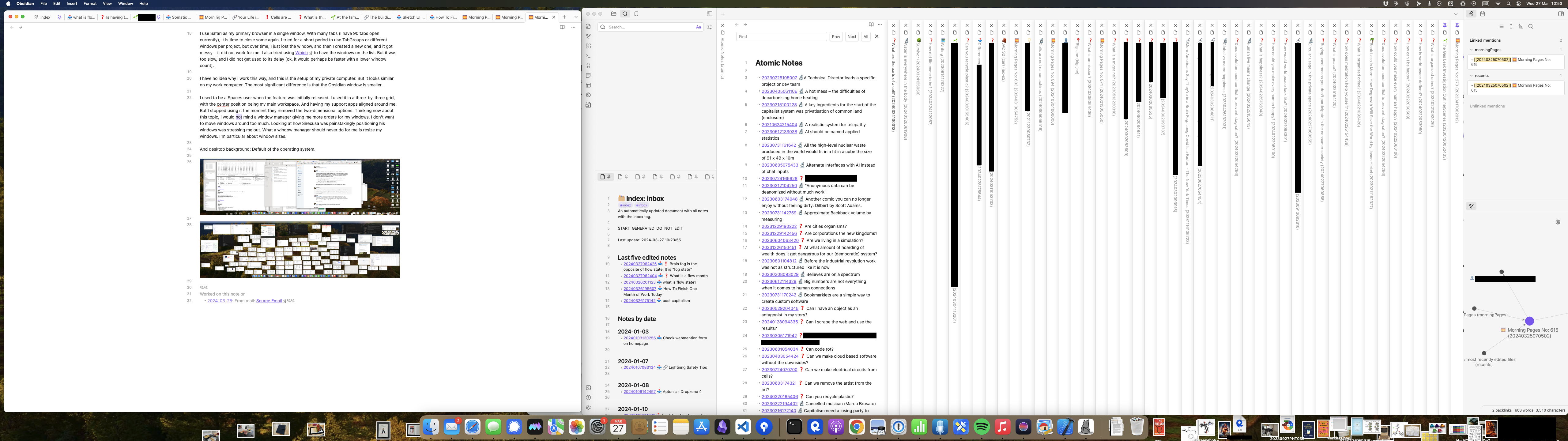
My two Obsidian windows taking up most of the screen.
I use Safari as my primary browser in a single window. With many tabs (I have 90 tabs open currently), it is time to close some again. I tried for a short period to use TabGroups or different windows per project, but over time, I just lost the window, and then I created a new one, and it got messy – it did not work for me. I also tried using Which to have the windows on the list. But it was too slow, and I did not get used to its delay (ok, it would perhaps be faster with a lower window count).
I have no idea why I work this way, and this is the setup of my private computer. But it looks similar on my work computer. The most significant difference is that the Obsidian window is smaller.
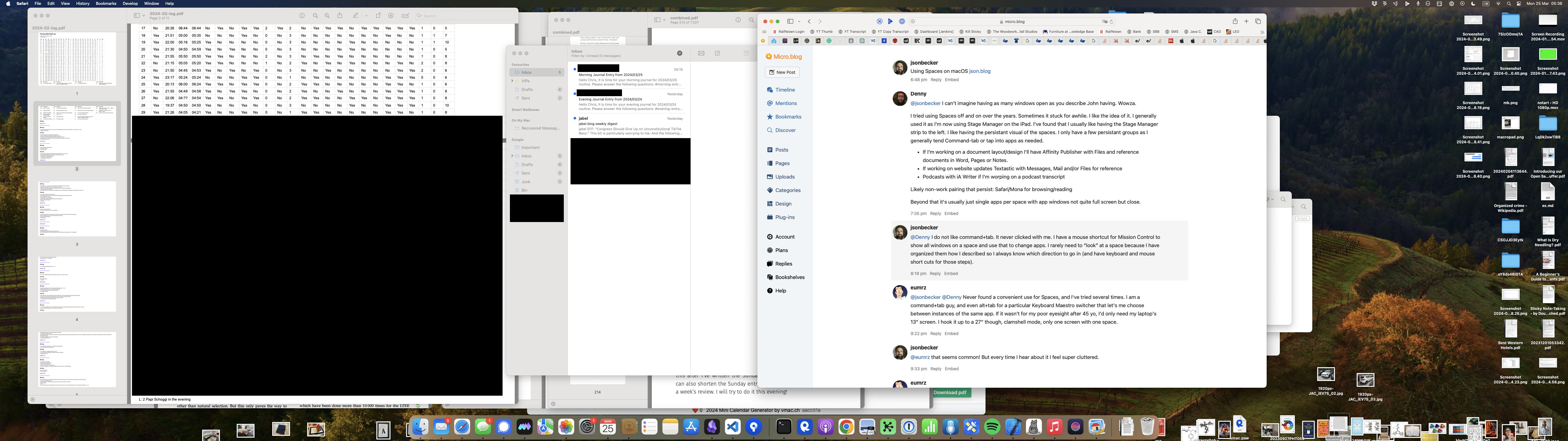
A screenshot of my desktop with my current apps visible. And no there are not enough tabs open in Safari :-).
I used to be a Spaces user when the feature was initially released. I used it in a three-by-three grid, with the center position being my main workspace. And having my support apps aligned around me. But I stopped using it the moment they removed the two-dimensional options.
Thinking now about this topic, I would not mind a window manager giving me more orders for my windows. I don’t want to move windows around too much. Looking at how Sirecusa was painstakingly positioning his windows was stressing me out. What a window manager should never do for me is resize my windows. I’m particular about window sizes.
And I use the default desktop image of my operating system, at the moment. I used to have a custom one which I was using for at least a decade. But it did not move to the new computer with me.
Comments
How to respond
Write your comment on your on page and link it to this page with the following link:
https://vmac.ch/posts/2024-03-27-how-i-use-my-computer-system-chaos/
Then insert the permalink to your post into the form below and submit it.
Alternatively you can reach me by email to: comment@vmac.ch