
Below you will find pages that mention the tag “iOS”


I don’t like this dialog. It always pops up when I’m doing something else and is removing my focus. And I love it when I’m in the mail app on iOS (writing an email) and the app decides now is the moment to push a modal dialog into my face.
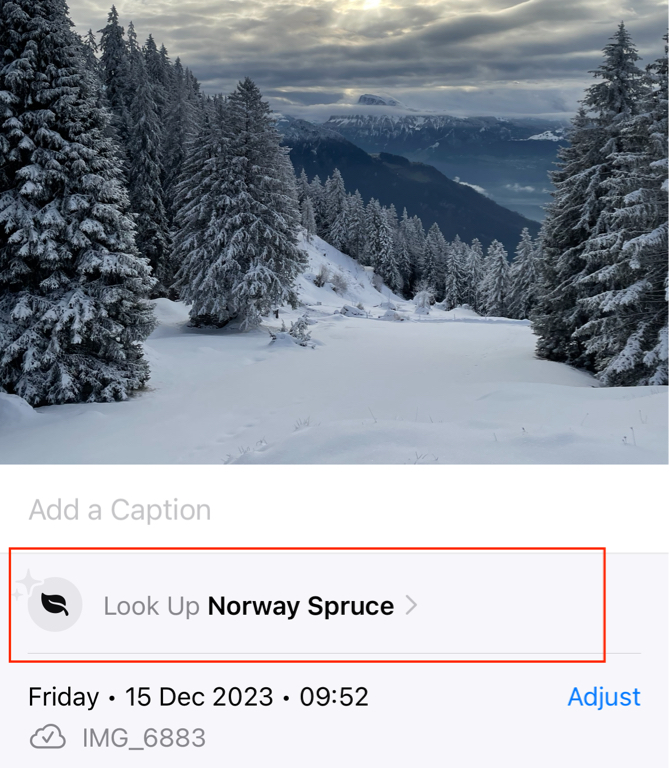
Since when does the Photos app on the iPhone detect plants in images? Noticed it when looking at my photos – the “I” button in the tab bar changes to a leave and then this info is there in the details. It is cool but does not work always - had quite some which just said “Plant”.

@V_ Since last year. It’s been getting better though. I’ve been using it identify plants I like when I’m walking in my neighborhood
by pratik on

@pratik @V_ Yes, in all of the talk about AI and often that Apple is not doing anything in that area. Historically Apple has referred to it as machine learning and I think this is overlooked as AI. Worth noting too that Apple has dedicated neural processors in it's devices unlike most other hardware makers. In other words, on-device machine learning. It's a fantastic feature that is getting so much better. Not only does it do plants but animals of all kinds, insects, fungi, moss, lichen and on. Also, food! My photo of waffle registers and when I tap the info button I get recipes. And now also, not only does it recognize dogs and cats but it recognizes your dogs. You can tell Photos the names of animals you live with and it creates albums. Great stuff going on in this app!
by Denny on
@Denny Yup. It recognized the breed mix of our dog perfectly!
by pratik on

@V_ @Denny @pratik Also: try those indecipherable symbols on laundry tags.
by fgtech on
@fgtech @Denny @V_ Also, try tapping the (i) for food photos. This is new, so it will take more tweaking/training on Apple's end.
by pratik on

@pratik This is cool! It recognized my palak paneer and kanda bhaji in my photo and offered me recipes. @Denny
by Parag on

@fgtech wow, I tried it out that is amazing and really helpful. Thanks for all the tips. // @pratik, @Parag, @Denny
by V_ on
@V_ and the obvious action would be to just enter the password and be done with it. But I don't want to now (its a work account and I'm on holiday). A remind me next week button would be nice.
on